Introduction
What FinnAI does and who it's for.
Welcome to FinnAI — the platform for building AI-powered voice agents that talk to your customers at scale.
A Finn is an autonomous voice agent. It picks up the phone (or makes outbound calls), understands what the caller wants, follows your instructions, and takes action — qualifying a lead, booking an appointment, answering a question, collecting feedback, escalating to a human, or anything else you script.
What Finn does well
- Outbound campaigns — lead qualification, appointment reminders, surveys, debt collection, renewal calls.
- Inbound reception — 24/7 answering, IVR replacement, intake forms, FAQ handling, call routing.
- High-volume operations — Finns scale horizontally. Run one call or ten thousand in parallel without hiring.
- Structured data capture — every call produces a transcript plus structured fields you define (e.g. "appointment booked?", "interested?", "callback time?").
Who Finn is for
| Role | Use case |
|---|---|
| Sales teams | Qualify inbound leads, book demos, follow up on stale opportunities |
| Healthcare clinics | Appointment reminders, intake forms, prescription refills |
| Insurance | Claim status updates, policy renewals, FNOL intake |
| Financial services | Account verification, payment reminders, KYC |
| Logistics | Delivery confirmations, dispatch coordination |
| Retail & consumer | Order follow-up, NPS surveys, win-back campaigns |
| Home services | Booking confirmations, technician dispatch, satisfaction surveys |
How the platform is organized
The dashboard is built around four concepts you'll work with repeatedly:
- Finn — the agent itself: voice, personality, knowledge, behavior.
- Audience — the people the Finn will talk to (or who call in).
- Deployment — the action of putting a Finn on real calls with an audience.
- Analytics — the record of what happened on those calls.
Most workflows are: build a Finn → build an audience → launch a deployment → review analytics → iterate.
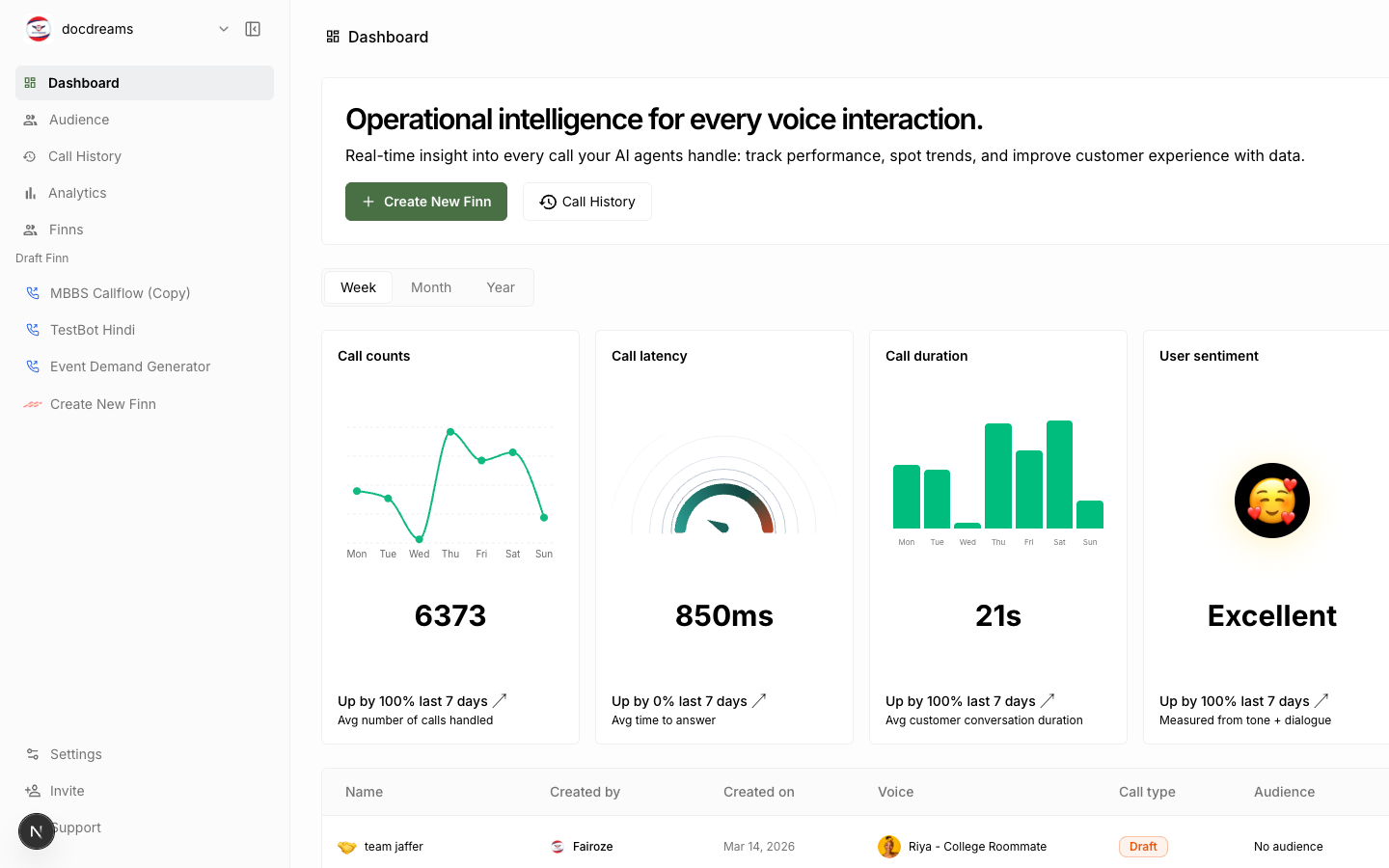 The dashboard sidebar — every section of the platform is reachable from here.
What you'll find in these docs
- Getting Started — a full quickstart from signup to your first live call.
- Creating a Finn — every configuration field explained.
- Knowledge Base — teach your Finn about your business.
- Workflows — visual editor for structured conversation flows.
- Audience Management — CSV import, CRM sync, lists.
- Phone Numbers — purchase, configure, route.
- Campaigns & Deployments — launch, schedule, parallelize.
- Analytics — metrics, transcripts, AI analysis.
- Integrations — calendars, CRMs, webhooks.
- Billing & Plans — usage, costs, upgrades.
- Style Guide — the design system that powers the dashboard.
- FAQ & Glossary — quick lookups.
Next: Getting Started →
Was this page helpful?
Still stuck or have feedback?
Email support@hirefinn.ai or use the chat bubble in the bottom-right corner — it's a Finn that knows the Academy cold.