Campaigns & Deployments
Launch your Finn on real calls.
A Deployment is the moment your Finn stops being a draft and starts making real calls. It takes a Finn you've built, an Audience of contacts, a phone number, and a schedule — and turns them into a running campaign.
Before you launch. Always test on yourself first (the "Test on Call" button on the Finn page). Always set a spend cap on your first few deployments. Always check the calling-hour window — there's no faster way to lose customers than calling them at 3 AM in their local time. The deployment screen makes all of this easy; just don't skip it.
Pausing is free. If anything looks weird mid-campaign, hit Pause. Active calls finish naturally, no new calls go out, no extra cost. Resume when ready.
The mental model
Finn + Audience + Phone Number + Schedule = Deployment
Think of a deployment as a campaign instance. The same Finn can run multiple deployments simultaneously against different audiences or schedules — they're independent.
Where to find deployments
- Dynamic Deployments — the launcher. Create new deployments here.
- Scheduled Deployments — deployments waiting to start at a future time.
- Live Deployments — deployments currently running. Real-time call counts and a live call table.
- Deployment Analytics — completed (or in-progress) deployments with full metrics drilldown.
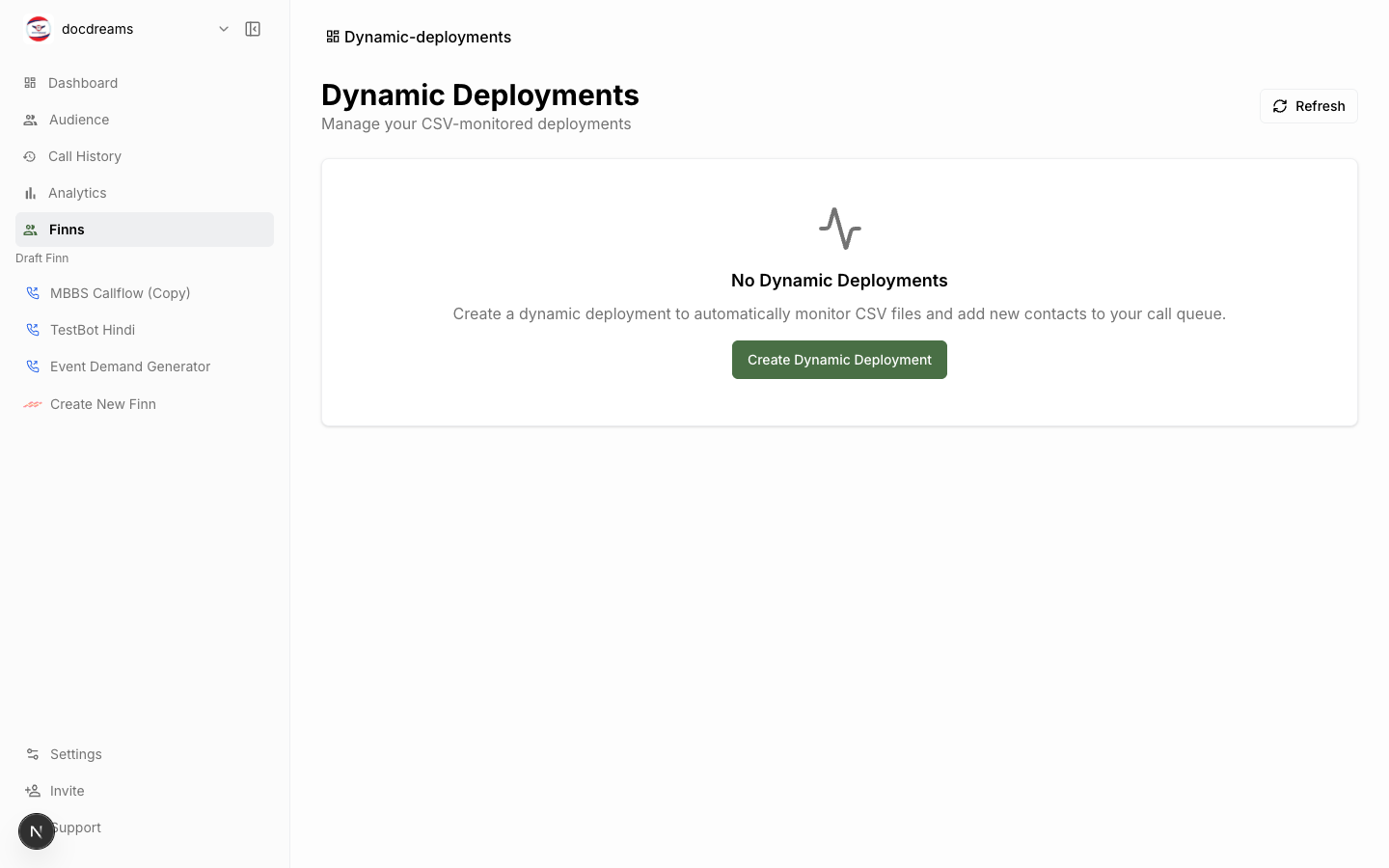 Dynamic Deployments — where you launch new campaigns.
 Live Deployments — real-time call counts and active call table.
Deployment types
Standard
Default. The Finn calls contacts one at a time (or in small concurrent batches, depending on your plan).
Best for:
- Moderate-volume campaigns (up to a few thousand contacts).
- Inbound number routing.
- Use cases where you want gentle pacing.
Parallel
Enterprise. The Finn calls thousands of contacts simultaneously.
Best for:
- High-volume outbound — debt collection sweeps, mass notifications, election outreach.
- Time-sensitive blasts where the entire audience must be reached in a tight window.
Parallel requires sufficient phone-number capacity (you can't dial 5,000 calls from one number). See Phone Numbers → for number pools.
Scheduled
Either type can be scheduled. The deployment sits in Scheduled Deployments until its start time, then automatically transitions to Live.
You can also configure calling-hour windows — even if the deployment runs for days, the platform only dials contacts during their local 9 AM – 6 PM (or whatever window you set). Contacts in different time zones get called at different absolute times.
Launching a deployment
- Open Dynamic Deployments (or click Deploy from a Finn's page).
- Configure each field below, then click Launch.
Required fields
| Field | What it does |
|---|---|
| Finn | The agent to run. Must already exist. |
| Audience | The contact list. Can be a full audience or a segment. |
| From number | The phone number that appears on caller ID. Must be assigned to your account. |
| Call type | Outbound, inbound, or both. |
Schedule fields
| Field | What it does |
|---|---|
| Start time | When the deployment begins dialing. Use Now for immediate. |
| End time | Optional cap. Deployment auto-stops at this time. |
| Calling hours | Per-contact local-time window (e.g. 9 AM – 6 PM). |
| Time zone source | Where to derive the contact's timezone. Default: country code; override per row via custom field. |
Advanced
| Field | Default | Notes |
|---|---|---|
| Max retries | 2 | Retry on no-answer / busy / voicemail. |
| Retry interval | 4 hours | Wait between retries. |
| Voicemail behavior | End call | Or leave a message via TTS. |
| Compliance disclaimer | Off | Inject required disclosures (e.g. "this call may be recorded"). |
Pre-launch checklist
Before hitting Launch on anything that costs real money:
- Test the Finn on yourself first (Test on Call).
- Audience has been validated (no invalid numbers, no test numbers from a prior import).
- From number is registered and SHAKEN/STIR attested in your country.
- Calling-hour window respects local-time-of-day for the contacts.
- Post-call analysis fields are defined — otherwise you can't measure success.
- You've reviewed the cost estimate the platform shows in the launch confirmation.
Monitoring a live deployment
Live Deployments shows:
- Active calls — currently on the phone.
- Completed calls — finished, with status (success / failed / no-answer / voicemail).
- Success rate — completion-weighted moving average.
- Buffer status — whether the dispatcher has runway. A draining buffer means you might run out of contacts.
- Per-call table — live-updating list of every call. Click to open the Data Extractor Sidebar with transcript + audio.
Health indicators (top of the page) show Redis buffer health, dispatcher status, and any queue backups.
Pausing & stopping
- Pause — stops dialing new numbers. Active calls finish naturally. Resume any time.
- Stop — same as pause, plus marks the deployment as completed. Cannot be resumed.
Active calls are never killed mid-conversation — the caller's experience is always preserved.
Retries & no-answer behavior
If a call fails (no answer, busy, voicemail-end), the platform schedules a retry based on your retry policy.
- Retries happen at the next valid calling-hour window for that contact.
- Retries respect the global retry cap (default 2).
- If voicemail behavior is Leave a message, the platform plays a recorded or TTS-generated message and does not retry.
Cost & billing
Each call incurs:
- Telephony cost — per-minute charge for the carrier leg. Varies by country.
- AI cost — per-minute charge for the LLM + TTS + STT. Flat by tier.
- Optional add-ons — premium voices, post-call analysis, recording storage.
The deployment confirmation modal shows estimated cost based on average call duration. Actual cost is computed per-call and rolled up nightly.
See Billing & Plans →.
Common pitfalls
| Problem | Fix |
|---|---|
| All calls fail with "carrier rejected" | From-number isn't registered for the destination country. See Phone Numbers. |
| Calls connect but Finn says nothing | Welcome message is set to defined but the script is empty. |
| Wrong language detected | Audience timezone or language_group field overriding the Finn's default. |
| Deployment paused unexpectedly | Buffer drained (audience exhausted) or budget cap hit. Check Live Deployments health panel. |
Next
- Analytics → — measure how it went.
- Phone Numbers → — provision and pool numbers.
- Integrations → — write outcomes back to CRM.
Was this page helpful?
Still stuck or have feedback?
Email support@hirefinn.ai or use the chat bubble in the bottom-right corner — it's a Finn that knows the Academy cold.